
The Ultimate Guide to Achieving Website ADA Compliance

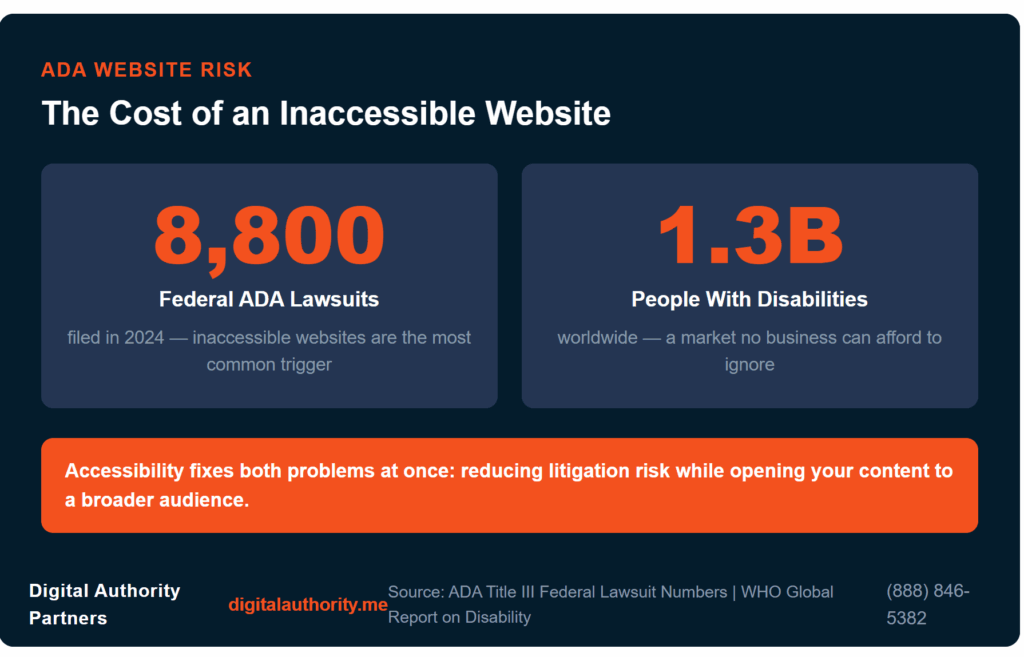
ADA lawsuits hit 8,800 federal filings in 2024, and inaccessible websites are the most common trigger. If your site fails to meet accessibility standards, you face real legal exposure and shut out the 1.3 billion people worldwide living with a disability, a market every business needs to focus on.
Accessibility reduces your legal risk and opens your site to that entire audience. An inclusive website reduces your litigation risk, strengthens your brand reputation, and opens your content to a broader audience. The path forward starts with understanding what website ADA compliance requires and how to achieve it.
This guide walks you through the core standards, a practical compliance strategy, and a step-by-step audit process, so you can build an accessible experience that holds up over time.
What Is ADA Compliance and Why Does It Matter?
The Americans with Disabilities Act (ADA) is a federal civil rights law that prohibits discrimination against people with disabilities. The Web Content Accessibility Guidelines (WCAG) are the benchmark most enforcement agencies use to measure ADA compliance. Aligning your website with WCAG reduces your legal exposure and improves usability for every visitor.
Accessible websites provide clear benefits for your business and your audiences. When your organization regularly conducts ADA compliance audits, you can identify accessibility gaps early and implement improvements to enhance the experience for all visitors. Prioritizing accessibility delivers real value in four key areas that allow your business to:
- Minimize litigation risk by aligning with WCAG success criteria and capturing test evidence for procurement.
- Reach more customers with an inclusive design that improves discoverability and conversion rates.
- Strengthen brand reputation by publicly committing to accessibility and publishing an accessibility statement.
- Make content more accessible to improve search rankings and enhance semantic structure and UX.
When a major celebrity’s retail website was sued in 2019 for lacking alt text and keyboard navigation, the case drew national attention. Many people learned how quickly accessibility gaps translate into legal exposure for consumer-facing brands.
The good news is that the same fixes that reduce your legal risk also improve the experience for every visitor on your site. Clearer navigation, better structure, descriptive content, and consistent labeling serve all users. The following sections walk you through the standards, the audit process, the implementation steps, and ongoing practices you need to build a site that works for everyone.
What Are the WCAG Principles and How Do They Help?
Creating an accessible website begins with understanding the four core accessibility principles. The principles WCAG outlines are for your website to be perceivable, operable, understandable, and robust (POUR). These principles guide the ADA compliance for websites by defining how digital experiences should function for users with diverse needs. POUR helps ensure your website remains inclusive and usable for everyone:
- Perceivable: Users must be able to perceive content in multiple ways. Alt text on images and captions on videos allow screen readers to convey visual and audio content to users who cannot see or hear it.
- Operable: Visitors should be able to navigate your website using a keyboard or assistive technology. This includes tab-based keyboard navigation, skip links, and clearly labeled interactive controls.
- Understandable: Content should use clear language, consistent navigation, and intuitive layouts. Logical structure helps your users easily comprehend information.
- Robust: Websites should use semantic HTML so assistive technologies can reliably interpret and present your content across different devices and platforms.
POUR is the backbone of a structured ADA compliance checklist your organization can follow to evaluate and improve accessibility across your website. Guide designers and developers in building accessible websites that support every visitor.
Strategies for How to Make a Website ADA Compliance
An organized approach often begins with a comprehensive ADA compliance audit and continues through remediation and long-term monitoring. The following steps outline how your business can practically approach accessibility.
Conduct an Initial Accessibility Audit
Start your ADA compliance journey by evaluating your existing website for compliance barriers. Identify usability challenges and provide a clear roadmap toward what your website needs. A successful accessibility strategy typically includes several key actions:
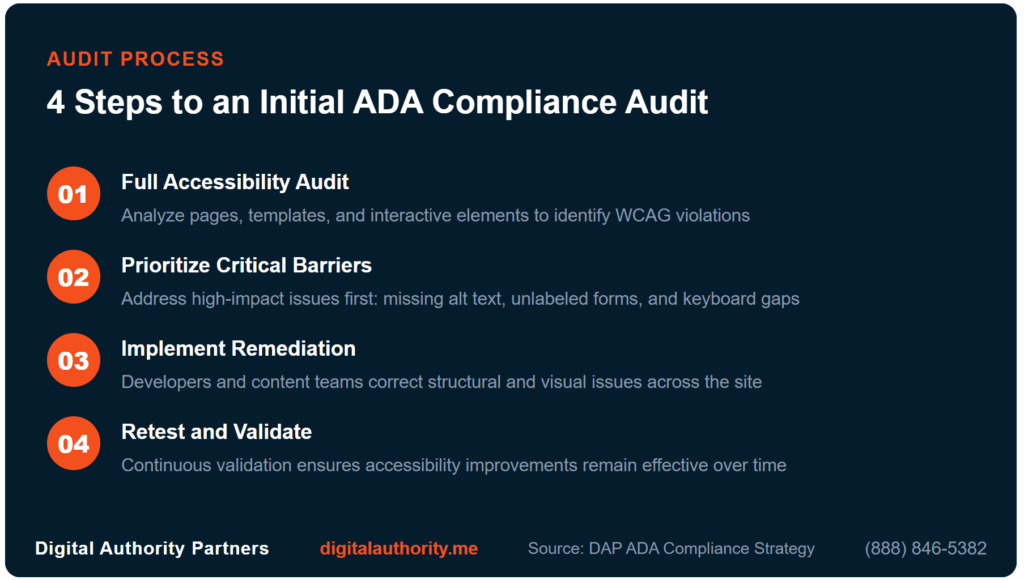
- Conduct a full accessibility audit: Analyze pages, templates, and interactive elements to identify WCAG violations.
- Prioritize critical barriers: Address high-impact issues first, such as images without alt text or unlabeled forms.
- Implement remediation updates: Have developers and content teams correct structural and visual issues.
- Retest after improvements: Ensure continuous validation so your accessibility improvements remain effective.
You gain greater confidence in your strategy when you document each step of achieving ADA compliance. Track updates and improvements by testing your website for accessibility to support transparency and strengthen long-term efforts.
Test and Validate Your Website to Check ADA Compliance
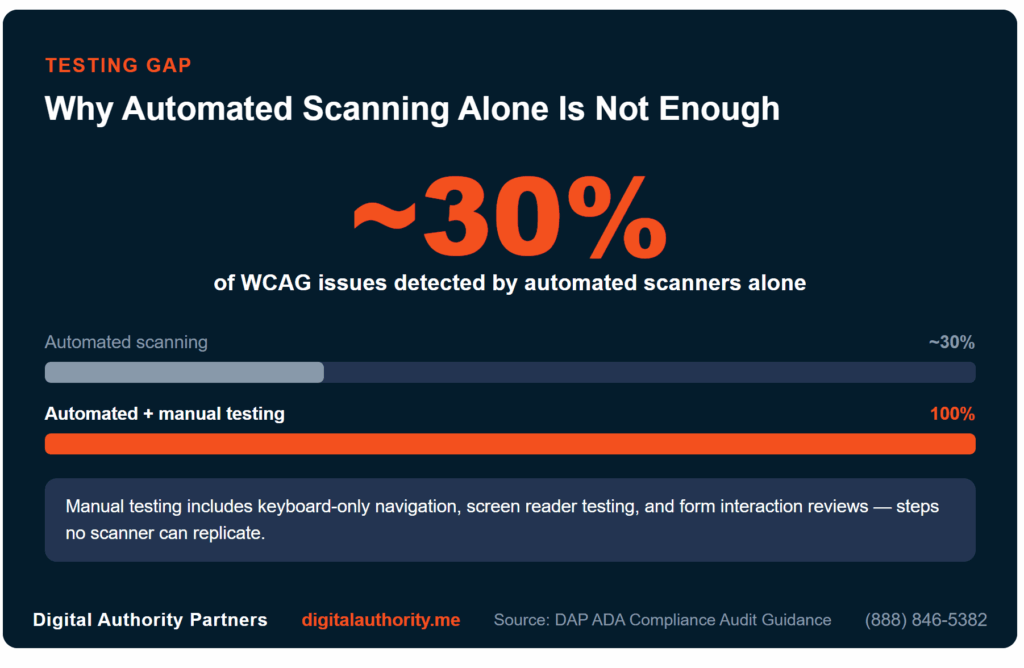
Evaluating your website requires automated scanning tools and manual testing. Automated scanners are a useful starting point, but research consistently shows they detect only around 30% of WCAG issues, making manual testing essential. Verify your website by navigating the site with keyboard only, testing forms, and running pages through screen readers to identify real-world barriers.
Working with experts through services such as ADA compliance audits can provide a deeper evaluation and validation of your website. Compliance audits help you keep your strategy aligned with adapting standards and user expectations, ensuring your accessibility improvements remain effective as your website grows and evolves.
What to Include on an ADA Compliance Checklist
Accessibility becomes far easier when you follow a structured checklist. This checklist helps your business move toward an ADA-compliant website, document improvements, and maintain consistency across digital experiences:
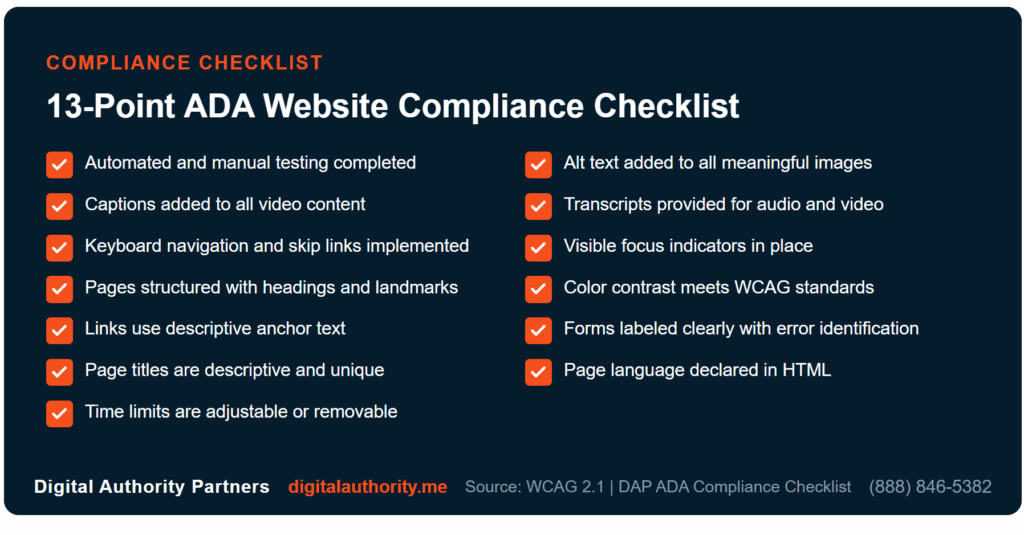
- Run automated and manual testing: Run automated scans as a starting point, then manually test with keyboard navigation and screen readers to catch the full range of WCAG issues.
- Add alt text added to all images: Every meaningful image must have a descriptive alt attribute. Decorative images should use an empty alt attribute so screen readers skip them.
- Add captions added to all video content: Synchronized captions must accurately reflect spoken dialogue and relevant audio cues for users who are deaf or hard of hearing.
- Provide transcripts for audio and video content: Text transcripts give users an alternative way to access spoken content and support search engine indexing.
- Implement keyboard navigation and skip links: All interactive elements must be reachable and operable by keyboard alone, with skip links allowing users to bypass repetitive navigation.
- Place visible focus indicators: Users navigating by keyboard must be able to see which element is currently focused at all times.
- Structure pages using headings, lists, and landmarks: Logical heading hierarchy and semantic HTML landmarks help screen reader users navigate and understand page structure.
- Meet WCAG color contrast standards: Text, UI components, and graphical elements must meet minimum contrast ratios so content remains readable for users with low vision.
- Use descriptive anchor text for links: Every link must clearly describe its destination or purpose when read out of context. Avoid vague labels like “click here” or “read more.”
- Label forms clearly with error identification: All form fields must have visible, programmatic labels, and error messages must clearly identify the problem and how to fix it.
- Write descriptive, unique page titles: Each page must have a title tag that accurately describes its content and distinguishes it from other pages on the site.
- Declare page language in HTML: The primary language of each page must be set in the HTML lang attribute so screen readers apply the correct pronunciation rules.
- Make time limits adjustable or removable: Where timed sessions or auto-updating content exist, users must be able to pause, extend, or disable the time limit.
How to Conduct an ADA Compliance Audit
When performing ADA compliance for websites, begin with a structured review that assesses both technical performance and user experience. An accessibility audit provides a comprehensive evaluation of how well your website supports inclusive experiences:
- Define the audit scope: Identify the pages, templates, and digital features that require accessibility review.
- Run automated accessibility scans: Scan for WCAG errors and structural issues across your website.
- Perform expert manual testing: Review keyboard navigation, screen reader compatibility, and interactive functionality.
- Deliver remediation recommendations: Outline issues, assign priority levels, and provide a clear roadmap for improvements.
Partner with accessibility specialists to ensure comprehensive analysis and accurate remediation strategies. External experts bring technical knowledge and industry experience that support thorough accessibility evaluations.
You get insights on how to improve accessibility and maintain compliance through an effective audit process. The next priority becomes integrating accessibility into everyday development and content workflows.
Maintaining ADA Compliance: Best Practices
How do you sustain continuous accessibility after your initial platform launch? The answer lies in integrating testing protocols directly into your daily development workflows. Following a successful ADA compliance audit and establishing proactive organizational habits ensures your technical infrastructure remains strong and completely accessible.
Incorporating Checks and Training Content Creators
Regular code reviews help your development team catch accessibility issues before they reach users, keeping remediation costs low and your site consistently compliant. Training your content team on the best industry writing practices ensures that every update meets the same standard. This includes plain language, descriptive links, and properly structured copy.
- Incorporate mandatory accessibility checks directly into your agile development workflows.
- Train your content creators to use writing techniques and properly format media.
- Update your ADA compliance architecture after completing each website redesign.
Streamline your onboarding with optimized training and reviews to ensure WCAG compliance. Some industries might have specific requirements that need a focused approach, requiring you to adjust your strategy.
Updating Standards for Specialized Industries
Accessibility standards evolve as technology and legislation change, so your leadership team must stay current with updates to WCAG and ADA regulations. Treat compliance as an ongoing commitment that protects your site from future legal exposure and keeps your digital experience inclusive as it grows.
In healthcare, accessible patient portals are a legal requirement under the ADA and Section 504 of the Rehabilitation Act. Inaccessible platforms create real barriers for patients managing their own care. Partnering with specialists in healthcare marketing ensures your digital platforms protect sensitive patient information while remaining fully accessible to everyone who needs them.
How ADA Compliance Supports B2B Decision-Makers
You can turn your commitment to accessibility into a competitive advantage. Documenting your due diligence reduces legal exposure and strengthens procurement outcomes. That same documentation demonstrates business risk and brand value when leadership needs to make the case internally.
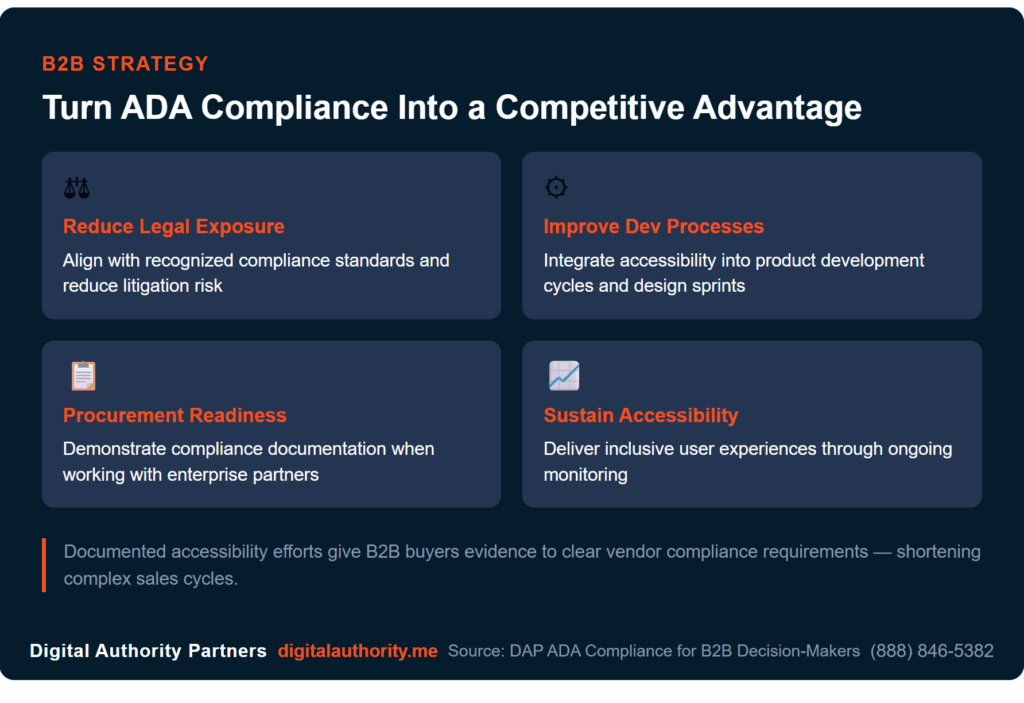
Beyond procurement, a publicly visible commitment to inclusive design expands your market reach and signals to partners and customers that your organization takes its responsibilities seriously:
- Reduce legal exposure: Help your organization align with recognized compliance standards.
- Improve development processes: Integrate accessibility into your product development cycles and digital design sprints.
- Implement procurement readiness: Demonstrate compliance documentation when working with enterprise partners.
- Sustain accessibility performance: Deliver inclusive user experiences through ongoing monitoring.
You create a better digital experience for each visitor to your website when your business prioritizes ADA compliance. This strategic perspective highlights why accessibility remains an important pillar of modern digital leadership.
FAQ’s
Accessibility compliance raises questions that go beyond technical implementation. Here are answers to the most common ones.
Who enforces digital accessibility laws in the United States?
The Department of Justice has primary enforcement authority, but other agencies play a role within their own jurisdictions. The Department of Education enforces Section 504 for federally funded institutions, the FCC enforces captioning requirements, and HHS oversees digital accessibility compliance for healthcare providers receiving federal funding.
Do small businesses need ADA-compliant websites?
Most do. ADA Title III applies to places of public accommodation, and courts have broadly interpreted this to include business websites. While the legal threshold can vary by jurisdiction, the litigation risk is real for businesses of all sizes. An accessible website also removes barriers for a significant portion of your potential audience and improves the experience for every visitor.
How long does it take to make a website ADA-compliant?
Your website’s size and complexity require you to achieve ADA compliance. Simple layouts often see immediate results from quick fixes, whereas enterprise-level platforms thrive on a multi-stage plan. By starting with a professional audit and tackling improvements in cycles, you build a more sustainable, inclusive digital presence.
Can website builders or CMS platforms ensure accessibility?
They can help, but a great CMS is only a foundation. While modern builders can offer accessibility-ready templates, true inclusivity relies on how your team executes content structure, navigation, and code. Accessibility only succeeds when designers, developers, and writers move in lockstep to maintain high standards.
What tools help monitor website accessibility over time?
Accessibility monitoring tools help organizations evaluate digital experiences as websites evolve. These tools scan web pages for common accessibility issues and highlight areas that may require improvement. Combine automated monitoring tools with periodic manual testing to maintain consistent accessibility standards as you introduce new content, features, and updates.
Does Website ADA Compliance Apply to Mobile Apps?
Yes, accessibility expectations extend to mobile applications as well as websites. Businesses increasingly design mobile apps to follow the same accessibility principles used for websites. Accessible mobile design ensures users can navigate apps using screen readers, voice controls, or other assistive technologies while maintaining a smooth digital experience.
What Role Does Content Play in Website Accessibility?
Content plays a significant role in accessibility because it helps users understand and navigate information. Clear headings, descriptive links, readable formatting, and well-structured information make digital content easier for assistive technologies to interpret. Accessible content ensures that information remains usable for all visitors regardless of how they access the web.
How Often Should Website Accessibility Be Reviewed?
Since your specific needs vary by website and industry, a one-size-fits-all approach rarely works. However, integrating accessibility reviews into your regular maintenance and redesign schedules helps catch issues before they reach your users. Regular audits turn accessibility from an afterthought into a sustainable, long-term competitive advantage.
Do PDFs and other downloadable documents need to be accessible?
Yes. Any document your users download or interact with should meet the same accessibility standards as your website. Tagged PDFs that follow WCAG and Section 508 requirements are the baseline. If full remediation is not immediately possible, provide an accessible alternative format or a straightforward way for users to request one.
Build Long-Term Website Accessibility With Digital Authority Partners
Accessibility is good business. Ensuring your website is ADA-compliant protects your brand legally while opening your doors to a wider audience. You can prevent compliance drift and deliver a seamless experience for everyone by committing to transparent accessibility statements and consistent monitoring.
Digital Authority Partners helps you build compliance the right way. From WCAG audits to ongoing monitoring, our team gives you a clear path to compliance that protects your brand, expands your audience, and holds up over time. Ready to get started? Request a consultation with a DAP accessibility expert and we will build a strategy tailored to where your website is today.
Want To Meet Our Expert Team?
Book a meeting directly here